Fire Kirin Password Reset: Get Back in Game in 5 Minutes!

How to Reset Your Fire Kirin Password: A Simple Step-by-Step Guide
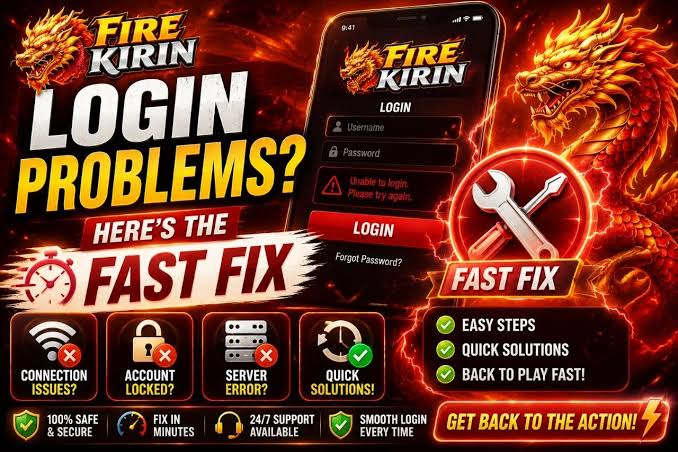
Forgot your Fire Kirin password? You are not alone—many players face this issue, and the good news is that resetting it takes less than 5 minutes. Just follow these easy steps to get your account back and start playing again right away.
Step 1: Find the Forgot Password Button on the Login Screen
Open the Fire Kirin app on your phone, tablet, or computer and go to the login screen where you normally enter your username and password. Look for the “Forgot Password” link, which is usually right below the password box. Tap or click it to start the reset process. This button is the same for all devices, including iPhone, Android, and desktop computers.
Step 2: Type in the Email Address You Used When Creating Your Account
Enter the exact email address you signed up with—this is very important because the reset link will be sent there. For example, if you created your account with [email protected], you must type that same address, not a different one. If you are unsure which email you used, check your old emails from Fire Kirin for welcome messages or game receipts.
Step 3: Wait for the Password Reset Email (Usually Arrives in 1–3 Minutes)
After you submit your email, Fire Kirin will send a password reset link to your inbox. Most players receive this email within 1 to 3 minutes. If you do not see it after 5 minutes, check your spam or junk folder, as it sometimes gets filtered there. For example, search your email for “Fire Kirin” or “password reset” to find it quickly.
Step 4: Click the Reset Link in the Email to Verify Your Identity
Open the email and click the big blue button or link that says “Reset Password” or “Verify Identity.” This link will open a secure page in your browser. Sometimes you may need to answer a simple security question, like the month you created your account, to prove it is really you. This step protects your account from hackers.
Step 5: Create a Strong New Password That Is Easy for You to Remember
On the reset page, type your new password twice (once in the “New Password” box and once in the “Confirm Password” box). Make it strong by using at least 8 characters with a mix of uppercase letters, lowercase letters, numbers, and symbols. For example, instead of “firekirin123,” try “Fir3Kirin!2026” which is much harder for others to guess but still easy for you to remember.
Step 6: Go Back to Fire Kirin and Log In with Your New Password
Return to the Fire Kirin app and enter your username (or email) and your new password. Click “Login” and you should now be inside your account with full access to all your games, points, and rewards. If it says “invalid password” again, double-check that Caps Lock is off and you typed the password exactly as you created it.
What If You Log In with Facebook or Apple Instead of Email?
If you originally created your Fire Kirin account using Facebook or Apple ID, you cannot reset the password through Fire Kirin directly. Instead, you must reset your Facebook or Apple password first. For example, open the Facebook app, go to Settings → Security → Change Password, create a new one, then try logging into Fire Kirin again with your updated Facebook credentials.
Still Stuck? Contact Fire Kirin Customer Support for Free Help
If none of the steps above work, Fire Kirin customer support can help you restore your account manually. Visit the official Fire Kirin website at firekirin.us and scroll to the bottom to find the “Contact Us” page. Send them an email with your full name, the email address linked to your account, and your phone number. Most support tickets get a reply within 24 hours, and they will guide you through the final steps to regain access.
FAQ
Fire Kirin Payout Rate Exposed: 96% RTP Secrets
Fire Kirin Payout Rate Explained Simply Fire Kirin is a fun online fish game and slots platform where players shoot fish to win cash prizes. Its payout rate, called RTP or Return to Player, shows how much money comes back to players over time—for example, a 96% RTP means $96 returned for every $100 bet in the long run. Many Fire Kirin games claim RTPs from 94% to 98%, like the popular Fiery Kirin slot at 96.
Can you play Fire Kirin online?
Fire Kirin offers a diverse range of online games that cater to various interests.
What were the original rules and betting options for roulette?
What were the original rules and betting options for roulette? The original rules and betting options for roulette were relatively simple. The game featured a spinning wheel with numbered pockets, typically ranging from 1 to 36. The early versions of the game also featured a single zero pocket, which gave the house a slight edge. In some variations, there was also a double zero pocket, which further increased the house edge.
Best Slot to Pay Out
The slot most likely to pay out is usually a high-RTP, low-volatility slot, because those games are designed to return a larger share of wagers over time and to give smaller wins more often. For example, a slot with a 96% RTP is generally better for steady play than one with a 90% RTP, and a low-volatility game may hit small payouts more often than a high-volatility game that waits longer between wins.
Can We Play FF Online?
1. Can We Play FF Online? Yes, you can play FF online, but the answer depends on which FF game you mean. Some FF games are built as online multiplayer games, while others are single-player games with limited online features. The most common online FF titles are Final Fantasy XIV and Garena Free Fire, and both let players connect with others over the internet. 2. Final Fantasy XIV Online Final Fantasy XIV is a full online role-playing game where players join the same world, complete quests, fight enemies, and team up in groups.
Can We Play Free Fire on a Website? Cloud Gaming and Browser Play
Can we play Free Fire on a website? Yes, you can play Free Fire on a website via cloud gaming platforms and browser-based options. For example, services like now.gg let you launch Free Fire instantly in a browser without downloading, delivering a streaming-like experience similar to playing a game on a console. Another option is cloud gaming portals that run the game on remote servers and stream the gameplay to your device, which can work on lower-end hardware as long as your internet is fast and stable.
Fire Kirin Guide: Login, Download, App and Online Play
This site only collects related articles. Viewing the original, please copy and open the following link:Fire Kirin Password Reset: Get Back in Game in 5 Minutes!